Home How it works Examples Pricing FAQ About us
FIEN
Start for free

We deliver Business Central
customizations in 24 hours

Stop waiting. Order your BC customization today and deploy it tomorrow — safely, without lengthy projects.

No commitments Free sandbox environment
12–24h
Delivery time
+18
Years of NAV/BC experience
0
Sandbox installation free of charge
100%
Microsoft compatible
Sound familiar?

Even the smallest Business Central change takes weeks
While your business waits

Weeks of waiting

Even the smallest change takes weeks to deliver.

💸

Expensive consulting time

A meeting is proposed just to define even the simplest change, when it could just be done.

🔄

Manual work continues

Automation takes so long to arrive that people get used to workarounds.

We deliver BC customizations in 24 hours!

How to order a Business Central customization

Ordering a Business Central customization from BC Boosters is easy – no developer needed. We handle the implementation from start to finish, and you can test at your own pace before going live.

1

Submit your request

Describe the change you need at bcboosters.com/order — no technical expertise required.

2

We deliver the change in 24 hours

If our BC Boosters service was able to fulfill your request, you will receive installation instructions by email. Otherwise, you can modify your request or order our Expert service.

3

Install the BC Boosters installer

Install the Microsoft-verified BC Boosters installer from Microsoft AppSource

4

Install the change to your test environment for free

Use the installer to deploy our customization to your safe sandbox environment.

5

Test at your own pace

Try the change in your test environment for as long as you need — no rush, no risk.

6

Deploy to production

Satisfied with the result? Order the Verified service and deploy the change to production.

Examples

What have our customers ordered?

Field customizations

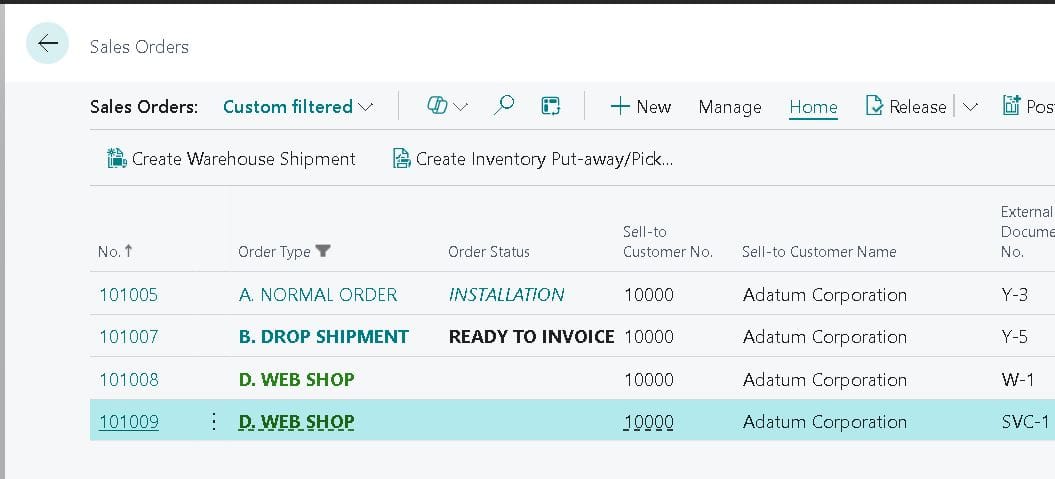
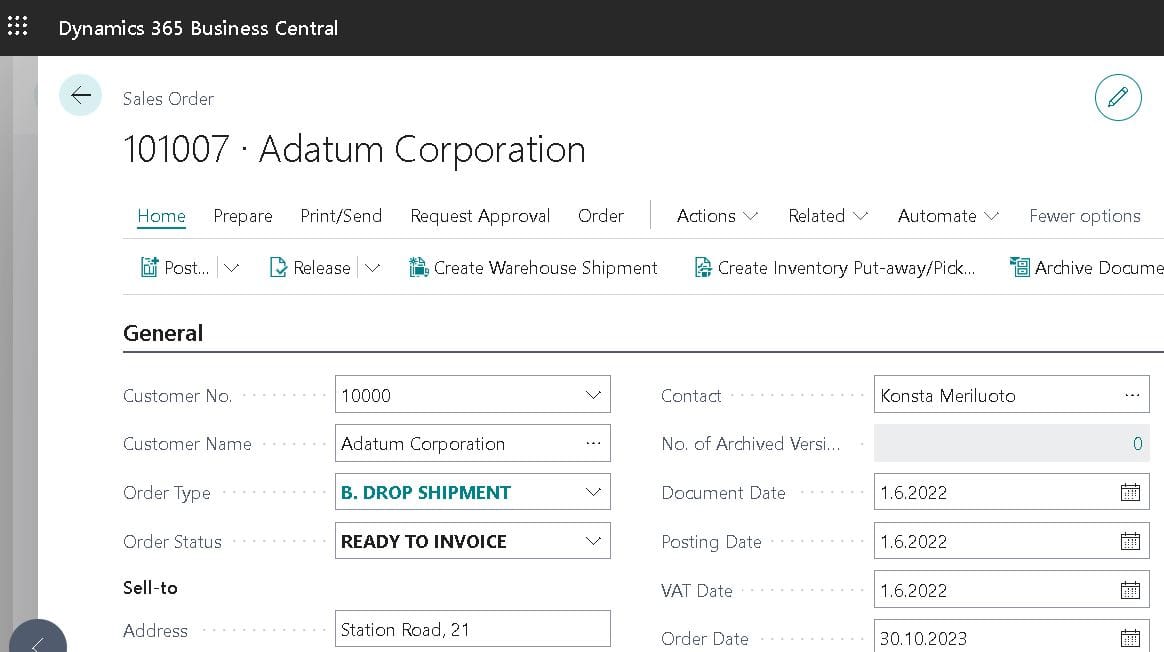
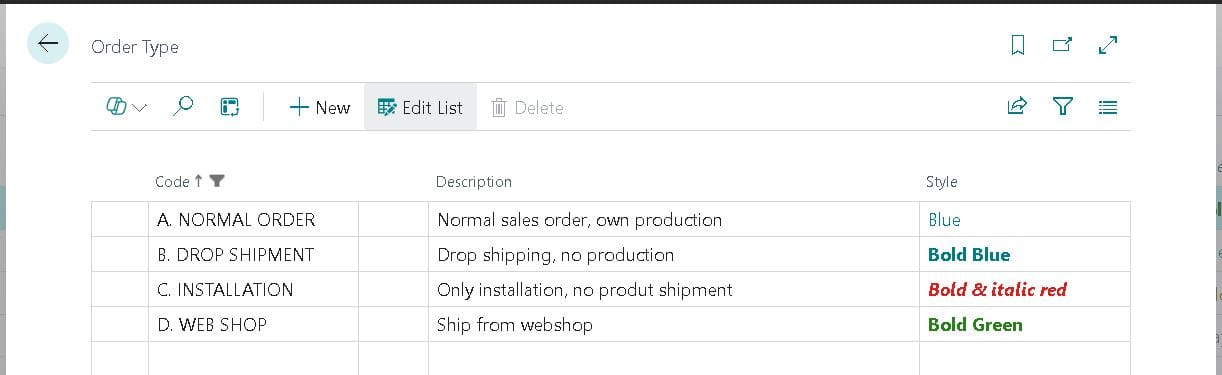
Maintainable order status and order type

Customizable order status and order type fields for sales orders — freely maintainable values, filtering, and color coding.

Read more
Workflow

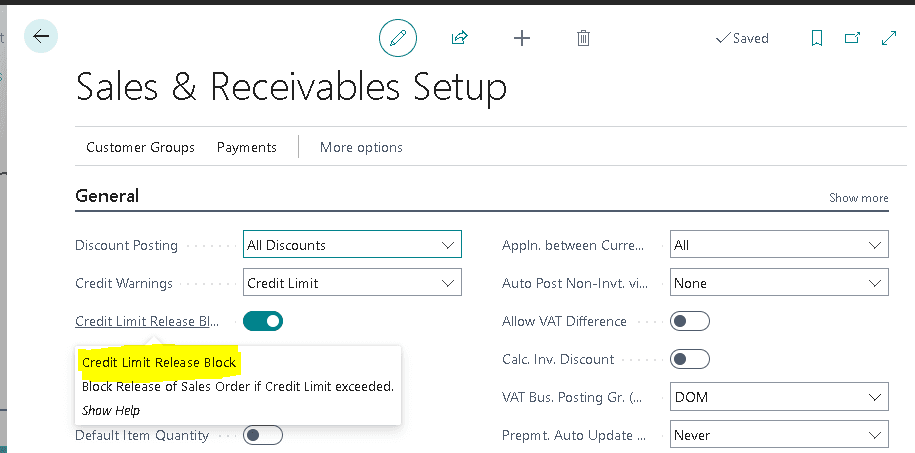
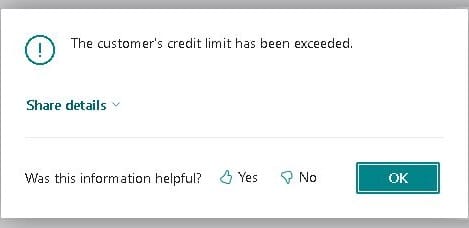
Block release if credit limit is exceeded

Enforced block on sales order release when the customer credit limit is exceeded — no more dismissible warnings.

Read more
Workflow

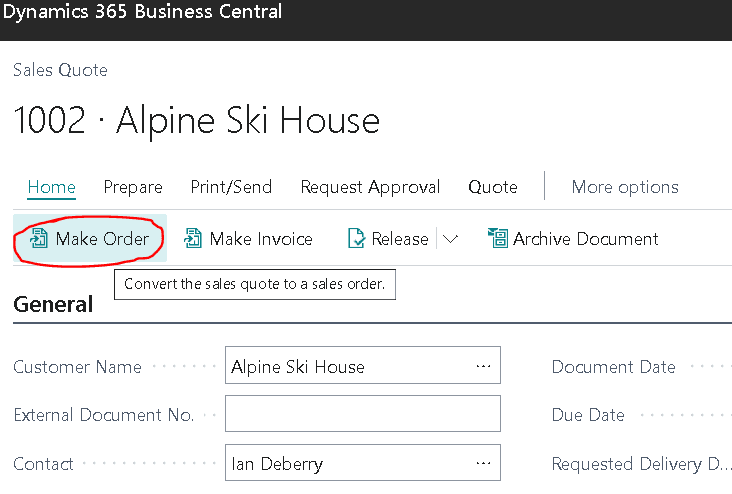
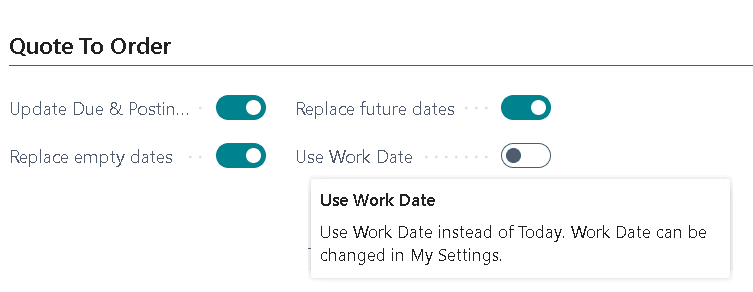
Quote to order — automatic due date refresh

Posting date and due date update automatically when a sales quote is converted to an order — no more manual corrections.

Read more
Field customizations

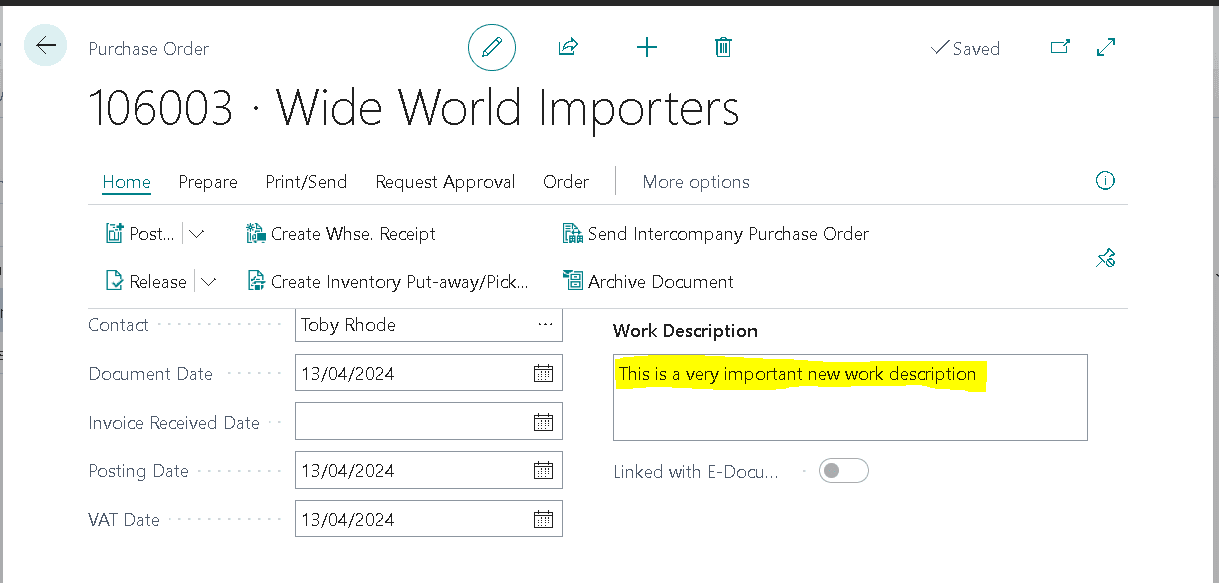
Work description field for purchase documents

The same multi-line work description field as in sales orders — now also in purchase orders, quotes, and posted documents.

Read more
Usability

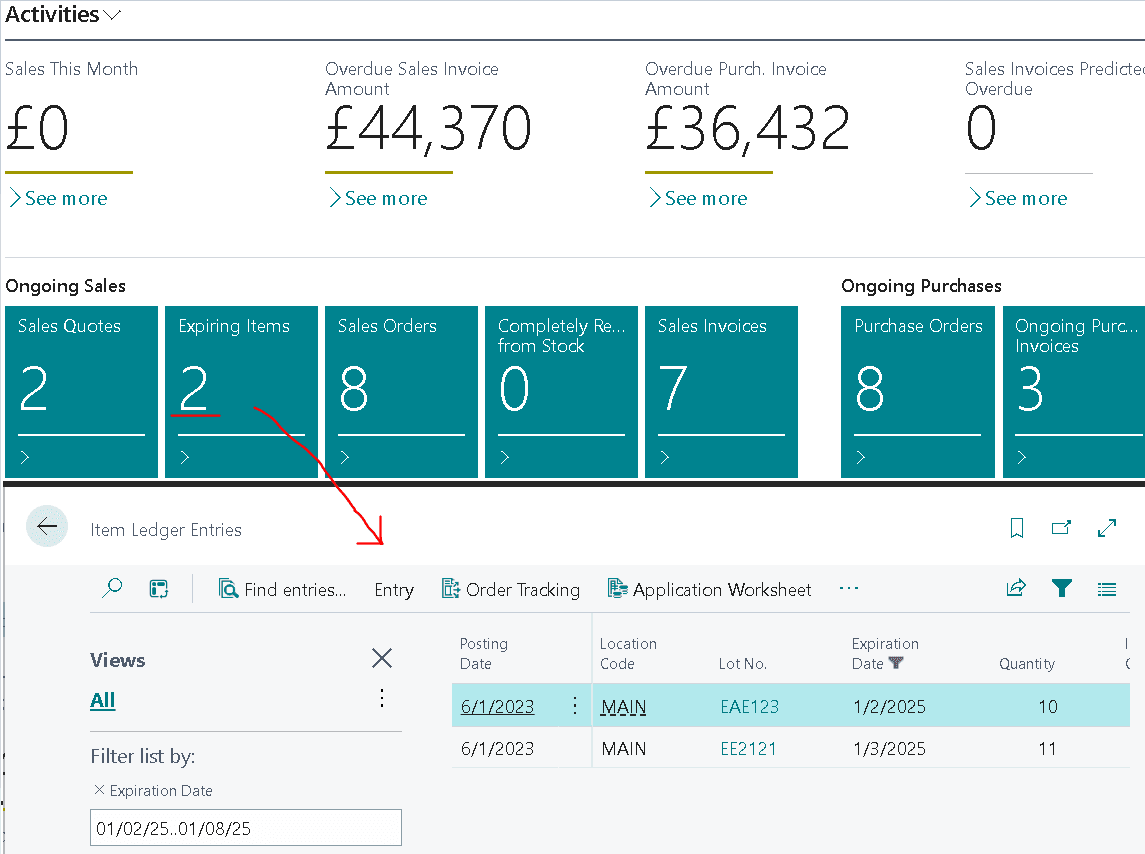
Expiring items cue on Role Center

A cue on the Role Center shows expiring lots — no more warehouse surprises.

Read more
Workflow

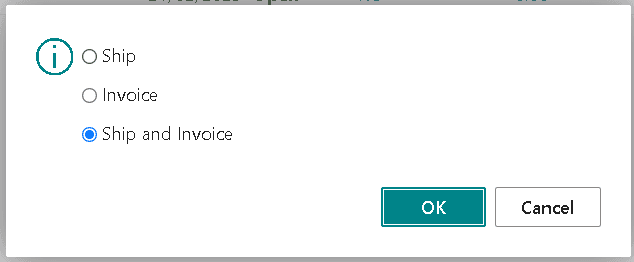
Default posting selection in Business Central

Flexible default settings for posting — both at company level in sales setup and per user in user setup.

Read more
Pricing

Transparent pricing, start for free

FREE
Test risk-free first
0 €
/ change
⏱ Delivery 12–24 h
  • Sandbox environment installation
  • Business Central cloud
  • Code following Microsoft best practices
  • Automated code review
Start for free
EXPERT
Full control and source code
595 €
/ change
⏱ Delivery 24–48 h
  • Everything from VERIFIED tier
  • Complete source code included
  • 12-month version history
  • On-Premises support (with limitations)
Order expert
Why BC Boosters

Trusted partner, fast delivery

  • 18+ years of experience

    Dynamics NAV and Business Central expertise since 2008.

  • AI + human together

    AI-assisted process accelerates delivery — our developers ensure quality.

  • Following Microsoft best practices

    All changes follow Microsoft standards and we verify their compatibility with upcoming Business Central versions as well.

  • No binding contracts

    You only pay for changes you approve. Start for free in your sandbox environment.

Get it from Microsoft AppSource

Microsoft-verified delivery

All changes are delivered via the BC Boosters installer, available from AppSource. Secure, audited, and Microsoft-compatible.

View in AppSource →
FAQ

Frequently asked questions

We deliver a solution that you can install in your own Business Central test environment (sandbox) free of charge. You only pay once you have verified that the solution works and want to install it in your production environment.
Yes. We can deliver extensions and improvements to all Business Central systems regardless of who performed the implementation or is the primary BC partner. Microsoft explicitly supports the multi-vendor model — a good example of this is AppSource, from which extensions from many different vendors can be installed into Business Central.
No, we don't. You can install changes delivered by BC Boosters yourself, easily and securely, using the BC Boosters installer available from Microsoft AppSource.
No, it cannot. All solutions are first installed in a sandbox environment so you can test them safely before moving to production. Changes can also be easily reverted if needed.
Yes. Our Verified and Expert services include testing the delivered solution with the current Business Central version and with Microsoft's preview releases of future versions — both minor updates and major version upgrades.
No, it isn't. Changes delivered by BC Boosters are installed using the BC Boosters installer, which can be downloaded directly from Microsoft AppSource.
Once you have tested the solution and want to install it in production, make the payment via the payment link we send you. Immediately upon receiving payment, we deliver the production-ready solution. You can also contact us to arrange invoicing.
We specialize in delivering smaller, easily and clearly definable Business Central changes that can be delivered without lengthy planning workshops or multiple development cycles. Larger and more complex projects are better suited for organizations with more resources for extensive planning and iteration phases.
The Expert service picks up where the AI-assisted Verified service's capabilities end. It is particularly suited for three situations: (1) Further development: when you want to extend or fine-tune a solution produced by the Verified service. (2) Larger solutions: when the required functionality exceeds what the Verified service can deliver. (3) Source code and On-Premise: when you need access to the complete source code of the solution or want to install it on a Business Central On-Premise system.
A clear, unambiguous, and detailed request helps us deliver the best possible solution quickly and cost-effectively. Whenever possible, refer directly in your request to the Business Central objects, fields, or functions that the change relates to.
Our solutions follow Microsoft standards and are validated with all key code analyzers: AppSourceCop, CodeCop, UICop, and LinterCop. This ensures clean and safe code that works reliably with Business Central and is easily maintainable.
Yes. We can modify and further develop any change or extension delivered by BC Boosters. Extensions purchased as Expert service are delivered with full source code and without usage restrictions.
Yes, our Expert service also supports Business Central On-Premise.
Our services are available everywhere Microsoft Dynamics 365 Business Central is available.
Unfortunately, no. We do not make changes to or further develop Business Central add-ons or extensions developed by third parties.
We securely store the source code of the delivered solution and retain it for 12 months from the last change, after which we permanently delete the source code.
No. We specialize exclusively in Business Central.

What BC change has been waiting too long?

Describe your need — the sandbox installation is free and delivered in 24 hours.

Start for free, risk-free